


Podcast Player - Castbox
4.729.09K Reviews
App Specs
- Version
- 11.25.0-260714314
- Updated On
- License
- Free
- Downloads
- 10,000,000+
- Developer
- Castbox.FM - Radio & Podcast & AudioBooks
- Categories
- Music & Audio
- Platform
- Android, iOS
Screenshots
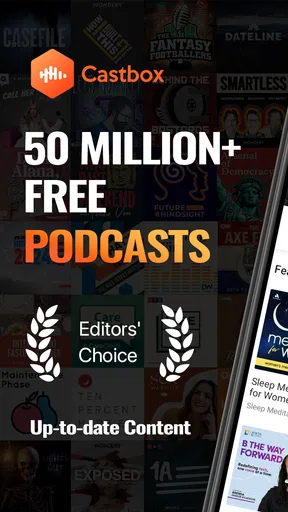
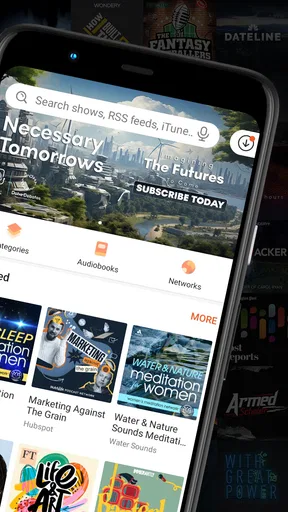
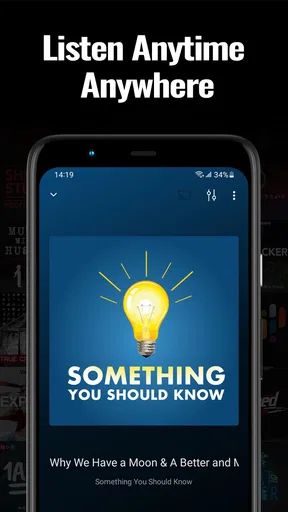
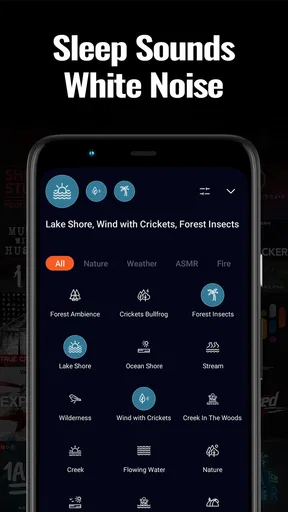
 Analysis by AppCompare
When I first opened Castbox, I wanted a simple answer to a simple question: could I find something worth listening to without spending half my break browsing? The app is a podcast player for Android and iOS, and its main appeal is that discovery, subscriptions, and listening sit together instead of sending me between separate services. My first useful result came from choosing a show, opening an episode, and letting it play; the rest of the experience makes more sense once you have that starting point.
It is a free music and audio app from Castbox.FM - Radio & Podcast & AudioBooks, with optional in-app purchases ranging from $0.99 to $99.99 per item. Castbox has a 4.7 average from around 374,000 ratings and more than 10 million installs. It is rated for teens, and the current version is 11.24.0-260114369, with Android 6.0 as the minimum OS. Those figures suggest a well-established player, but they do not tell you whether its discovery style or listening tools fit your habits; that comes down to how you use it.
Getting Started with Podcast Player - Castbox
The first time you open Castbox, it's like stepping into a well-organized library where every book is a podcast waiting to be discovered. The app is available on both Android and iOS, so no matter what device you’re using, you’re covered. Downloading and installing it was a breeze – just a couple of taps, and I was ready to dive in.
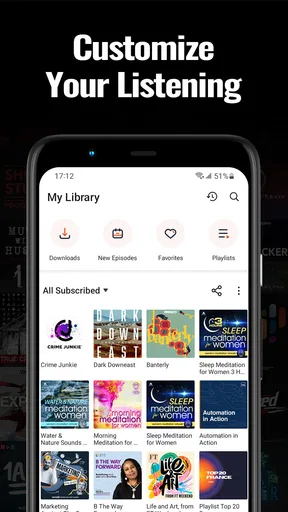
Once you’re inside, the interface is clean and intuitive. You’re greeted with a home screen that showcases trending podcasts, personalized recommendations, and various categories to explore. It feels like the app already knows what I’m into, thanks to its smart recommendation engine.
Finding a First Show That Fits
For a first-time listener, the easiest route is to search for a topic or a show you already recognize, rather than treating the home screen as a list you need to work through. Open a result, check that it is the right program, and try one episode before subscribing. That small step helps keep your library focused; subscribing to every interesting result can turn a useful player into another crowded feed.
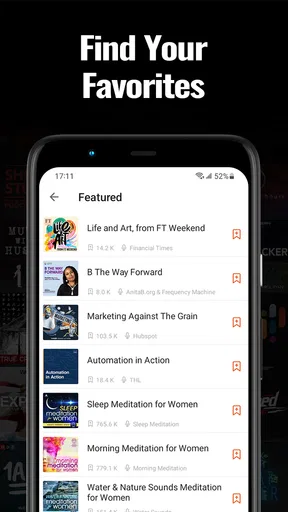
If you do not have a show in mind, browsing categories and recommendations gives you a low-pressure way to sample what is available. I would treat those suggestions as starting points, not a verdict on your taste. A recommendation may be relevant by subject but still have a tone or episode length that does not suit the moment, so testing an episode is more reliable than judging by its title alone.
Exploring the Features
One of the first things I noticed was the extensive library of podcasts available. Whether you’re into true crime, comedy, or educational content, there’s something for everyone. The search function is powerful too. You can search by title, host, or even keywords to find exactly what you’re looking for.
Worth Reading Before You Choose

EA SPORTS FC Mobile 26 Is a Bigger Football Game, but It Takes Time

Flipboard Shows What News Apps Must Do Beyond the Feed

Switching to Android Auto Means Rethinking Your Driving Routine

Google Calendar Makes a Crowded Week Easier to Manage

Ludo King Makes the Most of the Minutes Between Plans

Baby Panda World Brings Quick Play to Modern Phones, but Its Game Library Feels Busy
Another standout feature is the in-audio search. Ever had that moment where you remember a snippet of a podcast but can't recall which episode it was from? Castbox has got you covered. You can search within episodes to find specific topics or discussions. It’s like magic!
That search is especially useful when you want to revisit an idea rather than replay a whole episode from the beginning. I would use it after hearing a useful recommendation or a named subject and wanting to locate the relevant discussion again. It is a more targeted workflow than ordinary browsing, although it works best when you have a particular phrase or topic to look for; it does not replace listening through an episode when you want its full context.
Personalization and User Experience
What really makes Castbox shine is the level of personalization it offers. The app learns from your listening habits to suggest podcasts you might enjoy. Plus, you can easily create your own playlists to organize episodes however you like. Whether it’s a playlist for your morning commute or one for winding down at night, the app makes it simple.
Another feature I love is the ability to download episodes for offline listening. Perfect for when you’re traveling or in areas with spotty internet. Just download your favorite episodes when you’re on Wi-Fi, and you’re good to go!
A practical way to avoid downloading more than you need is to choose the episodes you expect to finish during a trip, rather than saving a long queue simply because it is available. Downloads are most helpful when your connection may be unreliable, while streaming is more convenient when you are at home and deciding what to hear next. I would check that the episode is ready before leaving; planning ahead is what makes offline listening dependable, not the assumption that every item in a playlist is already stored.
Playlists also make more sense when they solve a specific listening problem. I might keep a short set of episodes for a commute and a separate collection for longer, uninterrupted listening, instead of mixing everything together. This gives recommendations and subscriptions a place to live without forcing me to decide from the entire library each time I press play. If you only listen to one show occasionally, though, organizing several playlists may feel like extra housekeeping rather than a benefit.
Interacting with the Community
Castbox isn’t just about listening; it’s about engaging too. The app offers a community feature where you can comment on episodes and interact with other listeners. It’s a great way to share thoughts, discuss your favorite parts, or even get recommendations from fellow podcast lovers.
Plus, there's a nifty feature that lets you join livecast sessions. These are live audio broadcasts where you can tune in and participate in real-time. It adds a whole new dimension to podcasting, making it more interactive and engaging.
These social options are most valuable if you enjoy discussing what you hear or want to see how other listeners respond to an episode. They are not essential to the basic player experience: if your main goal is to listen while cooking, commuting, or doing chores, you can treat comments and live sessions as optional extras. I would not choose Castbox solely for community interaction unless that is part of what makes audio entertaining for you.
Ease of Use and Accessibility
Castbox excels in user-friendliness. The design is sleek, and navigating through the app feels intuitive. Even if you’re new to podcasts, you’ll find it easy to get the hang of it. The app also supports multiple languages, making it accessible to a global audience.
Moreover, the app offers customizable playback options. You can adjust playback speed, skip intervals, and even set a sleep timer. It’s these little touches that make the listening experience so much better.
Playback controls are worth setting up around how you actually listen. A sleep timer suits someone who puts on a show at bedtime, while adjusted speed can help when you are catching up on a familiar format; changing speed is less useful when the speaker’s delivery is already fast or the material needs careful attention. Skip intervals can make routine sections easier to move past, but I would keep them modest until I know how a particular show is edited, so I do not jump over something important by accident.
One everyday example is a morning commute: I can pick an episode at home, download it if I expect a weak connection, and use playback controls to fit the listening into the journey. Later, I can search within an episode to find a point worth revisiting rather than trying to remember where it occurred. That sequence—choose, prepare, listen, and return to a useful moment—is where Castbox feels more capable than a bare-bones player.
Choosing It Over Other Listening Options
Compared with a basic podcast app that mainly keeps subscriptions and playback in one place, Castbox puts more emphasis on finding shows, exploring recommendations, searching episode content, and interacting with listeners. That broader toolkit is useful if you are still building a listening routine or regularly switch between subjects. A simpler player may be a better fit if you already know exactly what you follow and want the least distracting way to play new episodes.
It also differs from general music-streaming apps, where podcasts may sit alongside music but are not necessarily the center of the experience. Castbox is specifically organized around spoken audio discovery and listening. The trade-off is that a wider set of discovery and community options can mean more to browse. If you prefer a minimal queue and rarely explore beyond a handful of familiar shows, the additional choices may not improve your day.
For a new user, the first decision is therefore not whether to use every feature, but whether Castbox’s all-in-one approach feels helpful. I would start with one known show, then try search or recommendations only when I have a reason. This keeps the initial experience reassuring rather than turning setup into a project.
Final Thoughts
All in all, Podcast Player - Castbox is a robust app that caters to both casual listeners and hardcore podcast fans. Its vast library, personalized recommendations, and interactive community features make it a standout choice in the world of podcast apps.
If you’re looking for a reliable and feature-rich podcast player, I’d definitely recommend giving Castbox a try. It’s like having a world of audio content at your fingertips, ready to explore whenever you are. So go ahead, download it, and dive into the endless sea of podcasts. Happy listening!
I would especially recommend it to someone who wants to discover new programs as well as manage familiar subscriptions, or who values tools such as episode search and offline downloads. It is less compelling for a listener who wants a very stripped-back interface, does not care about browsing or community features, or would rather keep podcasts inside an app they already use for other media. The free entry point makes it easy to try, while optional purchases mean it is sensible to check what an upgrade offers before spending; I would not assume you need one to find out whether the core listening routine suits you.
My advice is to make the first session small: find one show, play an episode, and decide whether you want to follow it. Then create a playlist only if you have a real reason to group episodes, and download audio before a trip when you know you may lose a connection. That gives you a clear first success without requiring you to configure everything. If Castbox’s discovery and organization tools make listening easier, keep exploring; if they feel like clutter, a simpler podcast player may serve you better.
Pros
- User-friendly interface with easy navigation.
- Vast library of podcasts across genres.
- Supports offline listening for convenience.
- Personalized recommendations improve over time.
- Integration with Amazon Alexa for hands-free use.
Cons
- Ads can be intrusive in the free version.
- Limited features in free tier compared to premium.
- Some users report occasional playback issues.
- Search function can lack precision.
- Frequent updates may affect app stability.
FAQs for Podcast Player - Castbox
What features does Podcast Player - Castbox offer?
Podcast Player - Castbox offers a wide range of features including personalized recommendations, offline listening, and the ability to create custom playlists. It also supports a sleep timer and offers a user-friendly interface for easy navigation. Additionally, Castbox provides a community feature where users can engage in discussions about their favorite podcasts.
Is Podcast Player - Castbox free to use?
Yes, Podcast Player - Castbox is free to download and use. However, it offers in-app purchases and a premium subscription that provides additional features such as ad-free listening, unlimited downloads, and advanced playback controls. The free version is comprehensive, but the premium option enhances the user experience.
Can I listen to podcasts offline with Castbox?
Absolutely! Castbox allows users to download their favorite podcasts for offline listening. This feature is perfect for those who want to enjoy content without using data or when they’re in areas with poor internet connectivity. Simply download episodes in advance and listen to them anytime, anywhere.
Is Castbox available on both Android and iOS devices?
Yes, Castbox is available for both Android and iOS devices. Users can download the app from the Google Play Store or the Apple App Store. The app is designed to provide a seamless experience across different devices, ensuring that all users can enjoy their favorite podcasts with ease.
How does Castbox personalize podcast recommendations?
Castbox uses advanced algorithms to analyze your listening habits and preferences to provide personalized podcast recommendations. By considering factors such as your favorite genres, previously listened episodes, and user ratings, Castbox curates a list of podcasts that align with your interests, helping you discover new and exciting content.


